FREE CONTENT PLANNER TEMPLATE
Start with the included example, replace it with your own content and build a workflow that is easier to follow.
Excel template | 8 connected tabs | Customizable

8 CONNECTED TABS
What This Planner Helps You Do
Keep your content work clear from planning to performance.
Organize your content ideas
Keep your topics, formats, platforms and goals together in one content database.
Plan what to publish
Turn selected ideas into a clear weekly and monthly publishing schedule.
Track every post
See what is being drafted, prepared, scheduled, published or ready to reuse.
Learn from your results
Record performance and see which topics, formats and platforms work best.
A Calendar Shows What to Post. This Planner Helps You Get It Done.
Plan → Create → Schedule → Publish → Track → Improve
Keep your content plan, publishing status and performance connected in one simple workflow.
What’s Inside the Planner
Six connected views for planning, publishing and performance tracking.

Content Dashboard
See today’s priorities, weekly activity, publishing progress and monthly content at a glance.
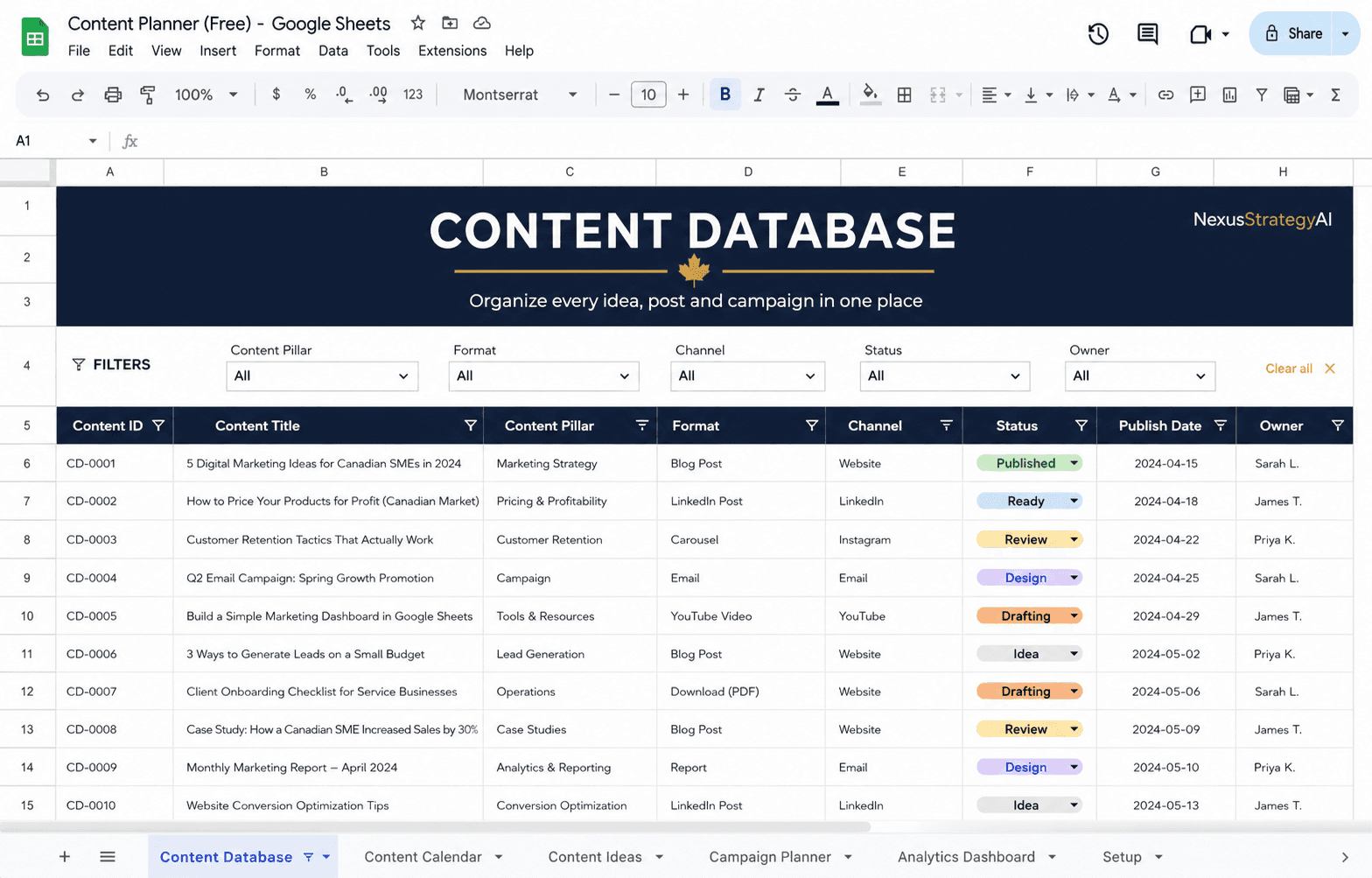
Content Database
Store and organize your content titles, pillars, platforms, formats, goals and publishing status.
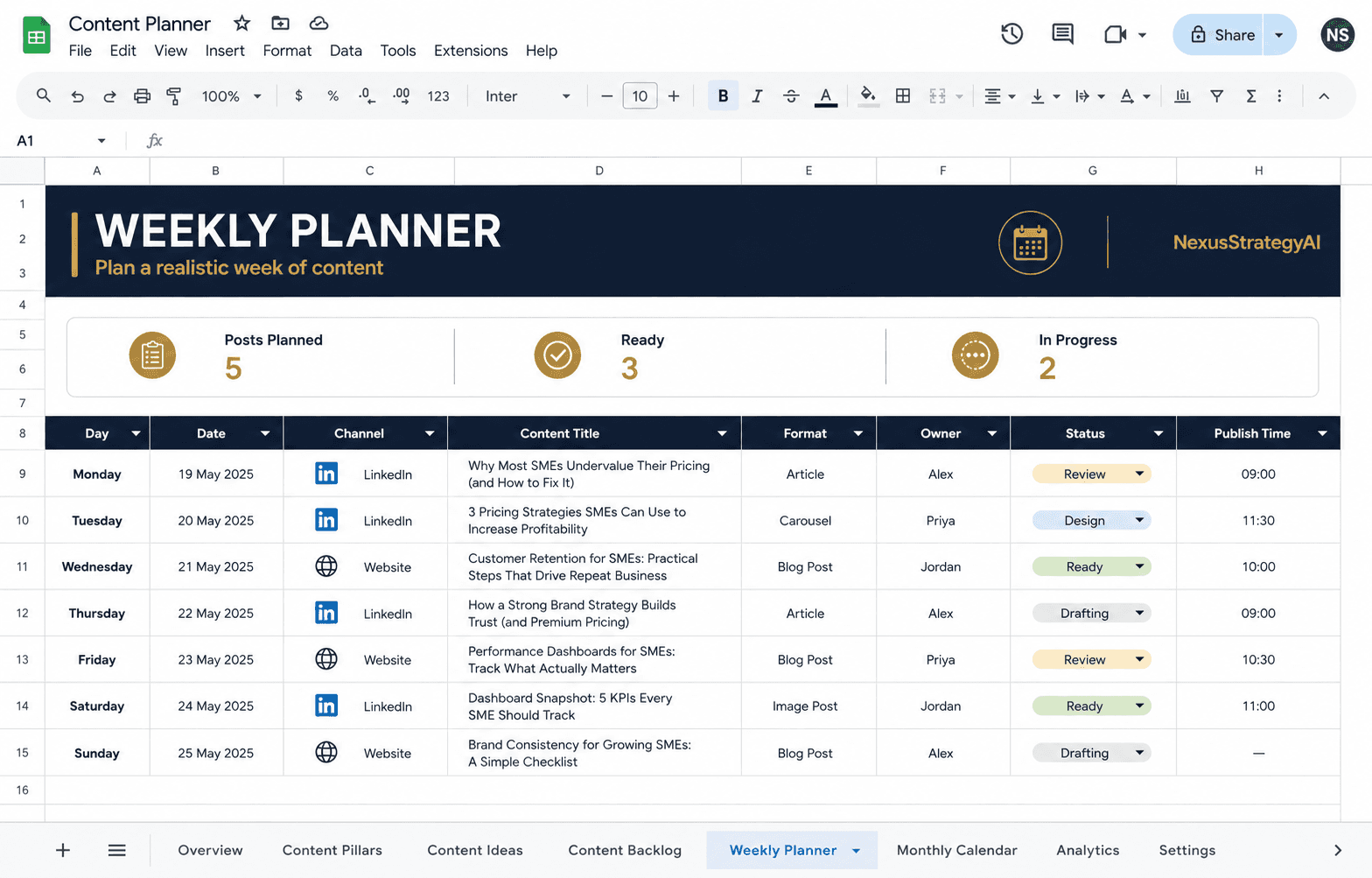
Weekly Planner
Plan the content you can realistically prepare and publish during the week.
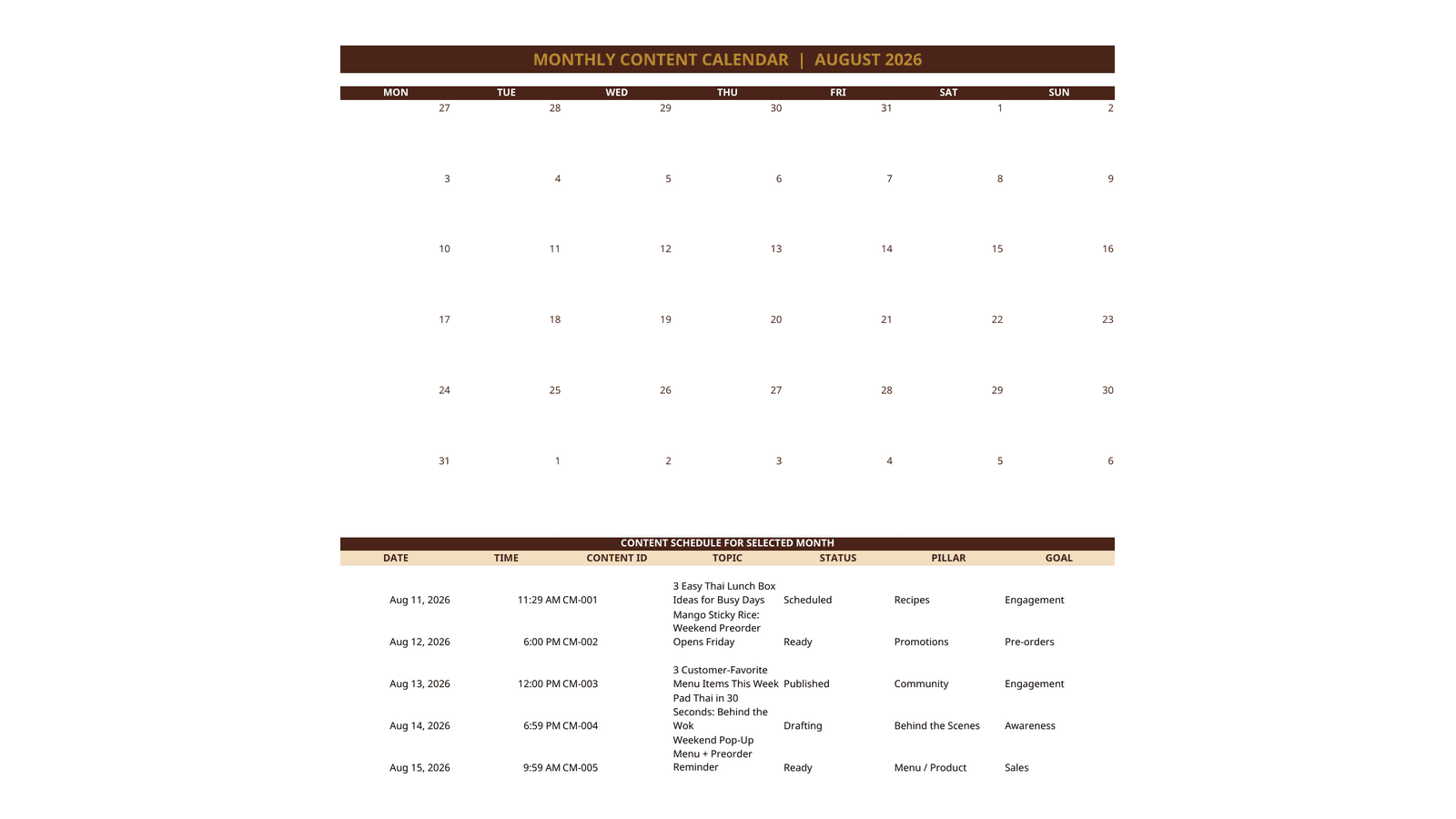
Monthly Calendar
See your publishing schedule across the month and spot gaps before they become missed posts.
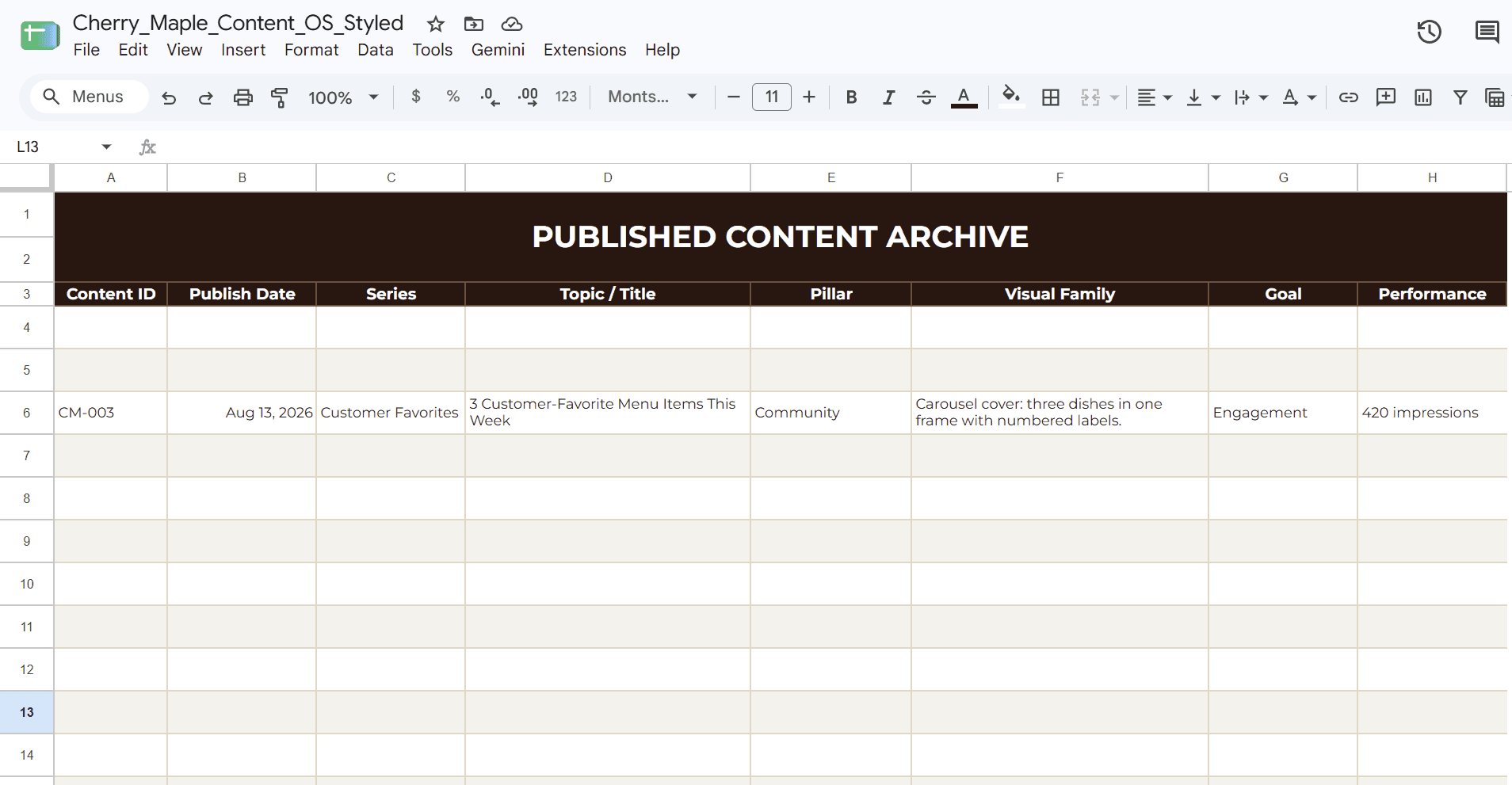
Content Archive
Keep published content organized so you can find, review and reuse it later.

Performance Tracker
Record key results and identify the topics, formats and platforms worth repeating.
How to Use the Content Planner
Start with the example and replace it with your own content.
01
Read the setup guide
Follow the instructions and review the included example before editing the planner.
02
Customize your lists
Update the platforms, content pillars, formats, goals and status options for your workflow.
03
Add your content ideas
Enter your planned content in the Content Database and assign the relevant details.
04
Plan your schedule
Choose what to publish and organize it in the Weekly Planner and Monthly Calendar.
05
Update each status
Keep every post updated as it moves from drafting to ready, scheduled and published.
06
Record the results
Add your performance numbers and note what you should improve, reuse or repeat.
The template includes sample content from a food business to show how the system works. Replace the examples with your own brand, audience and content plan.

Built by Kanokwan (Cherry) Kaewfah
A marketing and growth leader who turns complex planning and performance information into practical tools that teams can use.
Part of NexusStrategyAI, an independent proof-of-work platform.
Start with a ready-to-use Excel planner for scheduling, execution and performance tracking.
Download the Excel template, replace the sample content and customize it for your workflow.
For planning and organizational use only. Results and performance insights depend on the information entered and should be interpreted in the context of your audience, platform and business goals.
Kanokwan Kaewfah
NexusStrategyAI | Independent proof-of-work platform
© 2026 Kanokwan Kaewfah
Vancouver, BC, Canada